> ## Documentation Index
> Fetch the complete documentation index at: https://help.tiretutor.ai/llms.txt
> Use this file to discover all available pages before exploring further.
# Digital Vehicle Inspection
> Show customers what their vehicle needs and let them approve work from their phone.
**Stop playing phone tag over a brake job. Show the customer what you found and let them decide from their phone.**
A technician finds worn rear brakes on a high-mileage Civic. The service writer calls. No answer. Leaves a voicemail. Calls again after lunch. The car sits on the lift most of the afternoon waiting for a yes.
Digital Vehicle Inspection replaces that. Your technician records what they found and adds photos. The customer gets a link, opens it on their phone, and approves or declines each service. Your team hears back the moment they decide.
## What it is
A digital inspection form your technician fills out at the bay, and a report your customer reads on their phone.
Every item gets one of four ratings:
| Rating | Means |
| ------------- | ------------------------------ |
| **OK** | Good condition, nothing needed |
| **Suggested** | Worth attention soon |
| **Required** | Needs attention now |
| **Pending** | Not inspected yet |
The customer sees the required and suggested items with your prices. They pick what they want done.
## What your customer sees
The report email tells them how many recommendations you found and links to the full report.
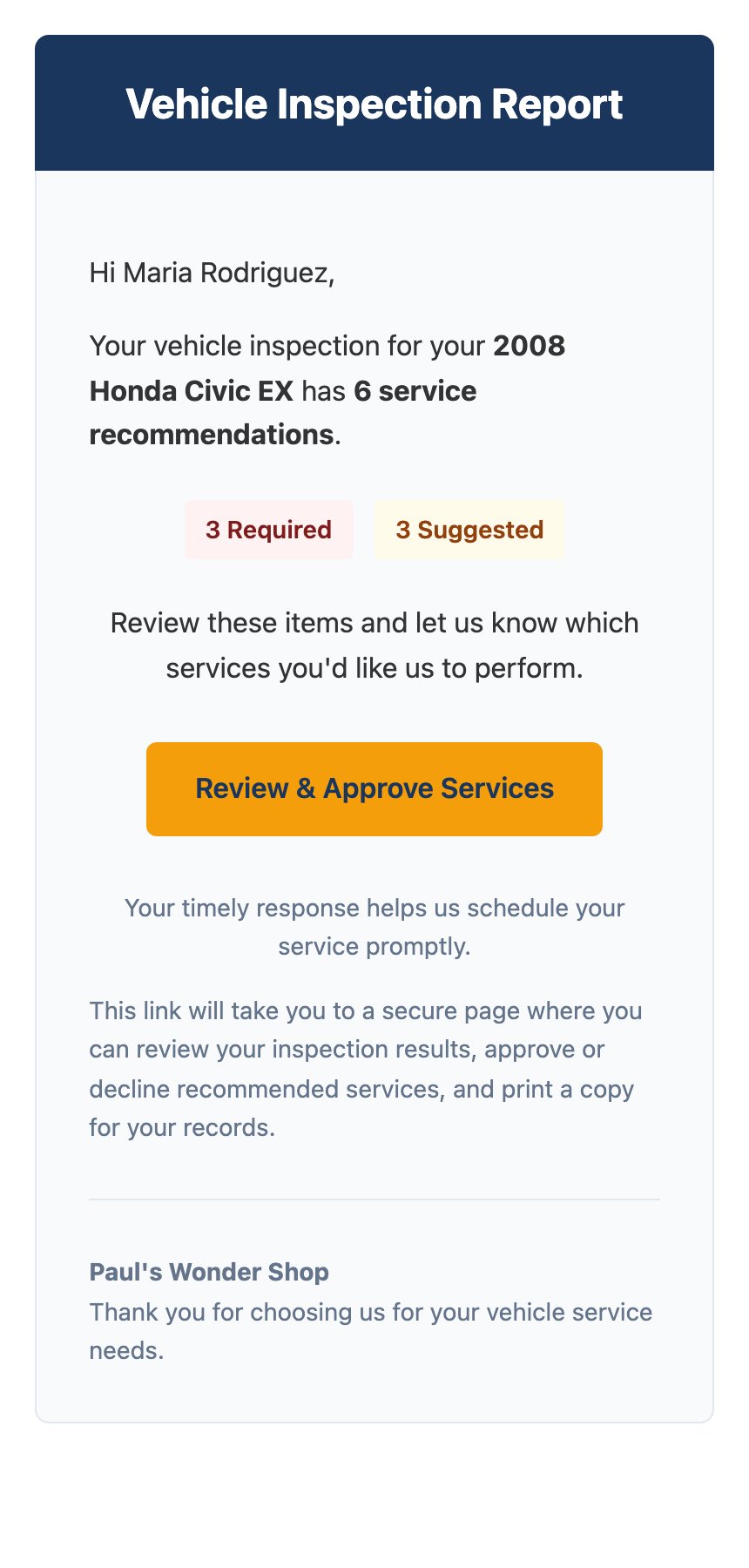 They tap through to the report, look at the photos, and approve or decline each service. Nothing is hidden behind a login. The link keeps working, so they can come back to it later.
## What your team gets
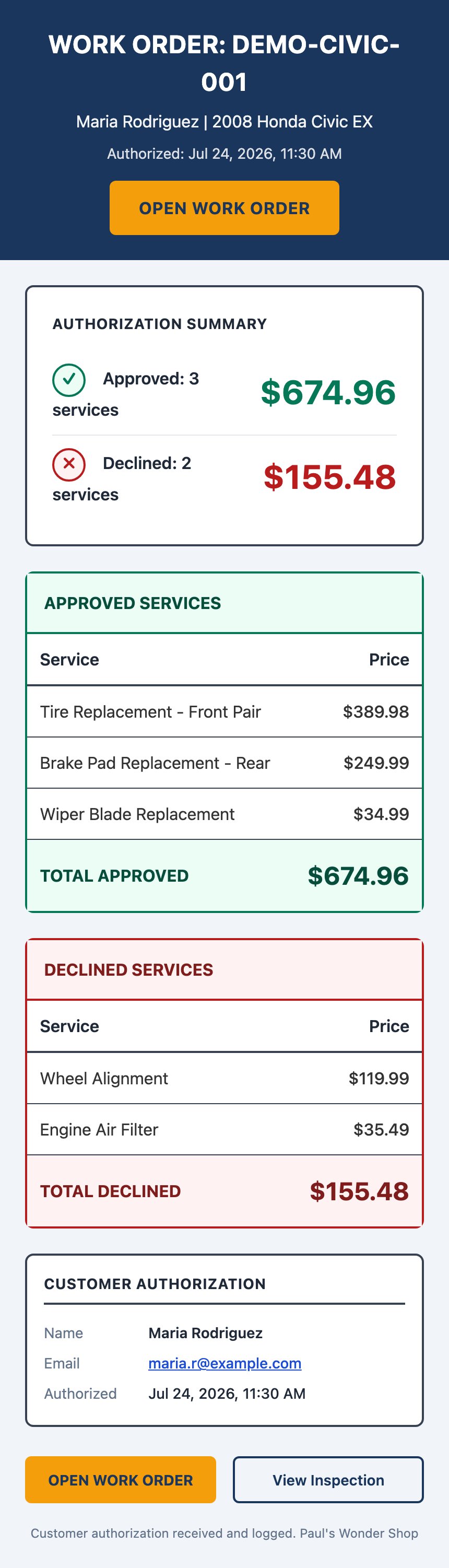
Two emails, sent to the addresses you list in settings:
* **Report sent** — confirms the customer got their report.
* **Customer approved services** — lists exactly what they said yes and no to, with totals.
They tap through to the report, look at the photos, and approve or decline each service. Nothing is hidden behind a login. The link keeps working, so they can come back to it later.
## What your team gets
Two emails, sent to the addresses you list in settings:
* **Report sent** — confirms the customer got their report.
* **Customer approved services** — lists exactly what they said yes and no to, with totals.
 If the customer replies to their report email, that reply lands in the same inbox. You answer from your email, and the customer sees it as a normal reply.
## Why the customer decides on their own screen
A phone call asks someone to make a spending decision from memory, while they're busy. The report shows them the worn part, the measurement, and the price. Then it lets them think.
That also gives you a record. The approval email captures what they chose, the amount, and the time. Nobody has to remember what was said on the phone.
## Who it's not for
DVI is for inspections you do at your own shop, on a vehicle that's already in your bay. It isn't a quoting tool for customers who haven't come in, and it isn't a way to send marketing.
## Where to go next
Set up notifications and send your first report.
Tire placard capture, AI summary, services, and setting your prices.
What the AI reads, and why its prices are national averages.
Look up every notification, who gets it, and when.
If the customer replies to their report email, that reply lands in the same inbox. You answer from your email, and the customer sees it as a normal reply.
## Why the customer decides on their own screen
A phone call asks someone to make a spending decision from memory, while they're busy. The report shows them the worn part, the measurement, and the price. Then it lets them think.
That also gives you a record. The approval email captures what they chose, the amount, and the time. Nobody has to remember what was said on the phone.
## Who it's not for
DVI is for inspections you do at your own shop, on a vehicle that's already in your bay. It isn't a quoting tool for customers who haven't come in, and it isn't a way to send marketing.
## Where to go next
Set up notifications and send your first report.
Tire placard capture, AI summary, services, and setting your prices.
What the AI reads, and why its prices are national averages.
Look up every notification, who gets it, and when.