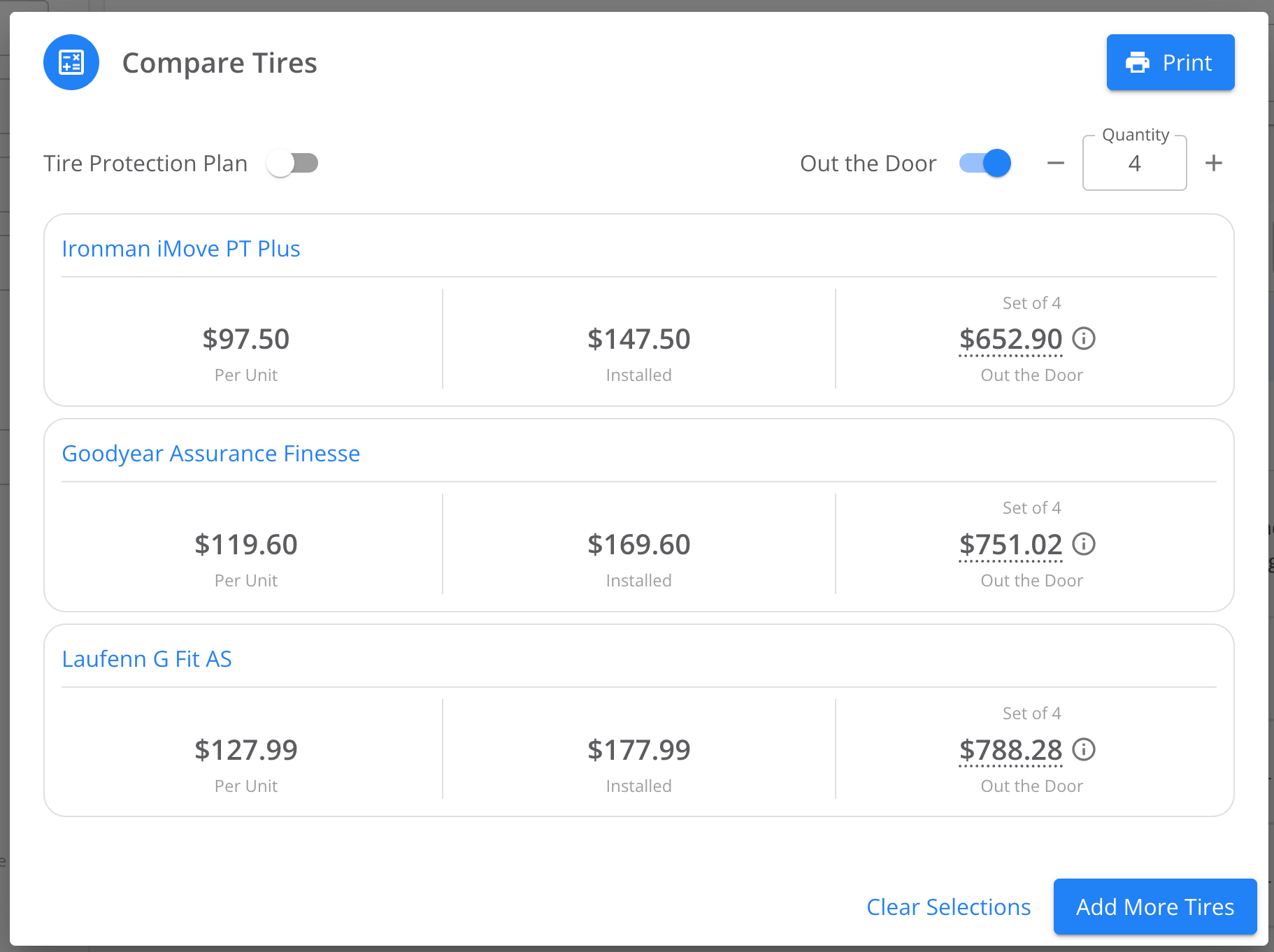
Need to show a customer the total, including tax and install? No problem - just toggle on “Out the Door Pricing” in our quote comparison tool.
Step-by-Step Guide: Quoting Out-the-Door Pricing in the Tire CatalogStep 1: Opening the Tire Catalog
Out-the-door pricing lives in the tire catalog, so start there by searching for the tire you need. If you’re used to searching for tires in the inventory module, use the tire catalog for quoting instead. The inventory module matches searches exactly and is built for tracking stock, not for building customer quotes.Step 2: Turning On the Out-the-Door Toggle
With your search results on screen, select the ones you want to present to your customer, then click on “Compare Quote Price”. The toggle is automatically positioned for the out the door pricing.