

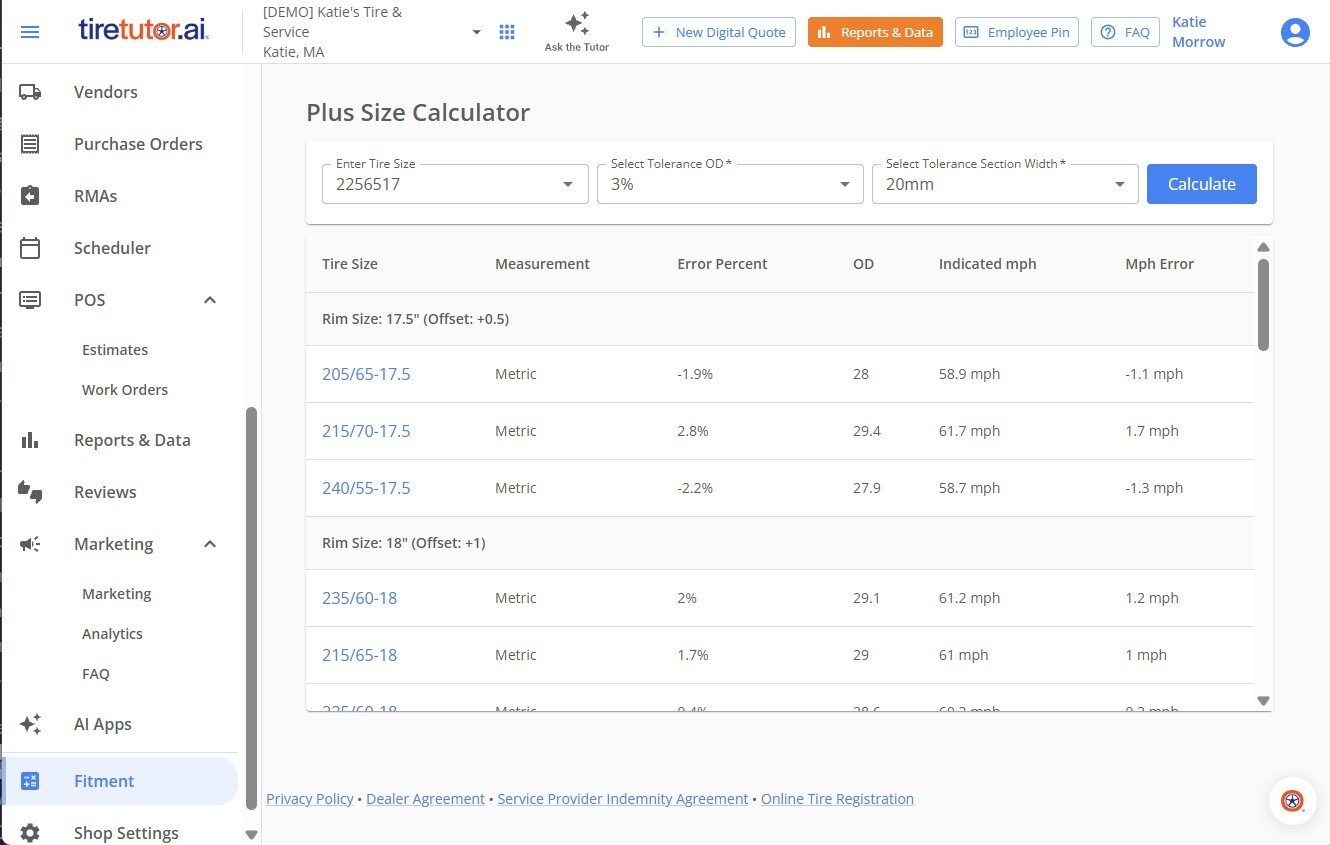
Find a tire and rim combination that fits
- Select Shop Settings in the sidebar, or open the account menu and select Shop Settings.
- Select Fitment. The Plus Size Calculator opens.
- Enter the customer’s current tire size. The tool finds alternatives from it.
- Set the tolerance percentage. It sets how much the overall diameter can change, based on the space in the vehicle’s wheel well.
- Set the width allowance: how much wider than the original tire you allow.
- Click Calculate. The tool lists the rim and tire combinations that fit, with speed ratings.
- Select the combination the customer wants. It carries over into the catalog, so you can add it to a work order or purchase.