

Every notification
Each notification above follows a report send, a submitted decision, or a customer reply. A Report sent confirmation does not prove customer receipt.
Select Send Report in AI Inspection Report to open the Recipient list. Select each contact’s email or phone number checkbox. The final button counts contacts with selected delivery methods, such as Send to 1 contact.
Who receives what
Notification emails
Which addresses get used
Report sent confirmations use your location’s Notification Emails, or the location email when the list is empty. They do not use the account’s addresses. If both location sources are empty, DVI skips the shop confirmation. Customer approved services emails and forwarded Customer reply emails go to the first of these that has an address:- Your location’s Notification Emails
- Your account’s notification emails
- Your location’s email
- Your account’s business email
Where customer replies go
Report emails normally use a conversation reply address. DVI forwards replies through that address to the shop recipients described above. If DVI cannot set up the conversation, the report email uses your first location notification address for replies. An empty list falls back to your location’s email. If both are empty, DVI supplies no reply address for that report email. The Customer replies go to this email note identifies the first field. It does not limit forwarded conversation replies to that address.Report email format
The email shows no prices and no counts. The customer sees the services and their prices on the report page.
Confirmation email format, sent to the customer
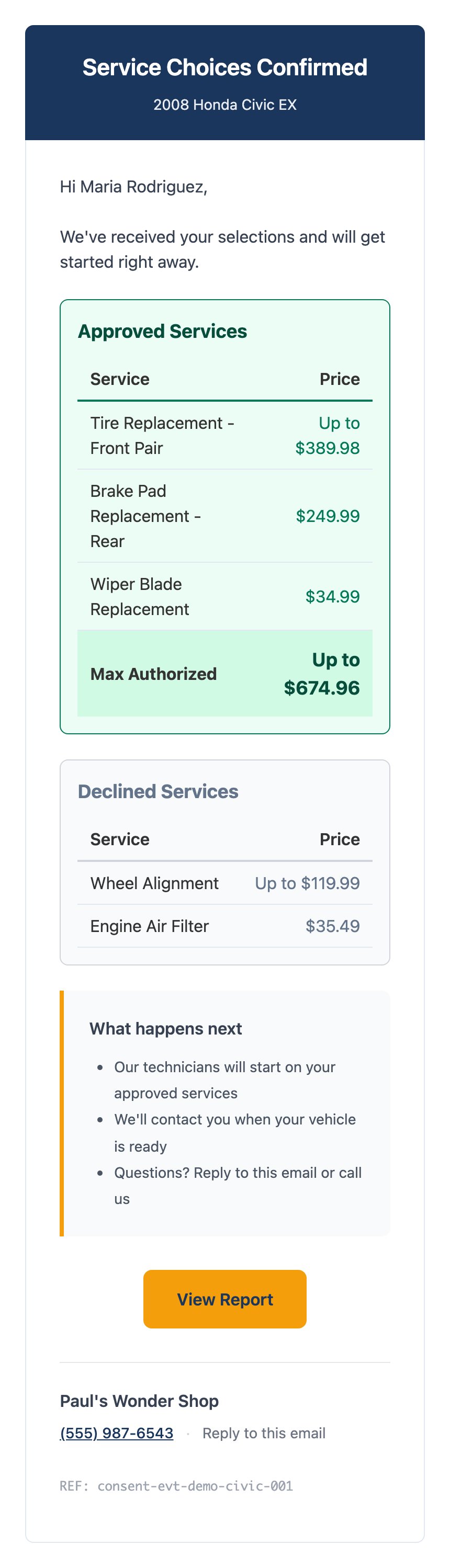
The customer's confirmation email, with estimates shown as maximum authorizations.
Approval email format, sent to your team
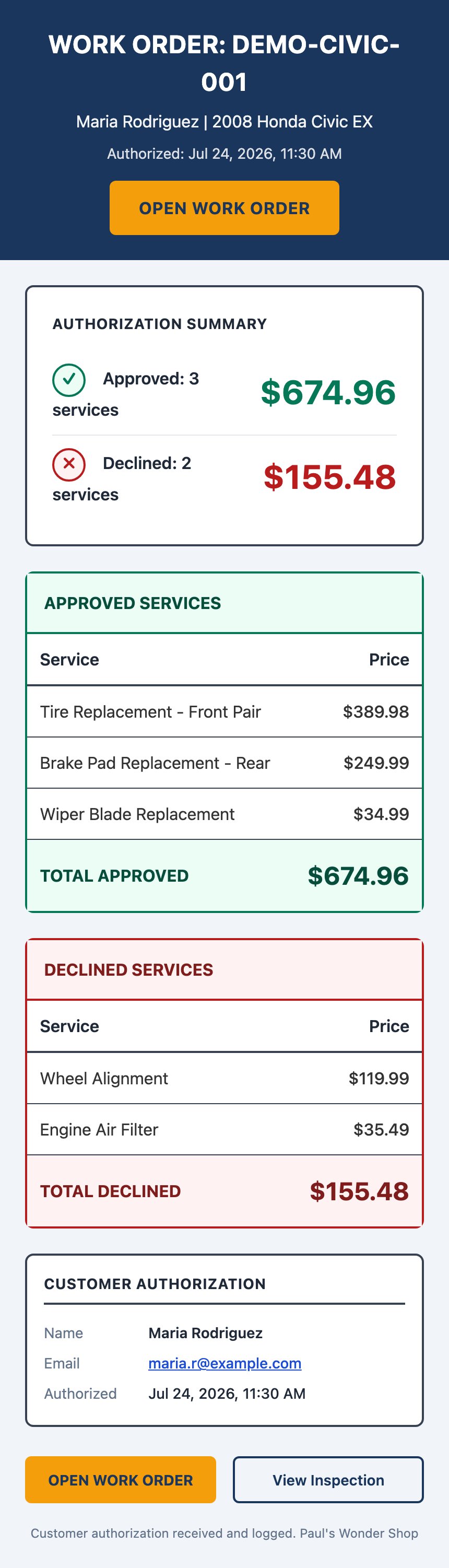
The approval email your team receives, with approved and declined totals.
Text message wording
Inspection report:View details: [link] instead of the phone invitation. DVI shortens confirmation text that exceeds 160 characters.
Report links
Anyone with an active report link can read the report. Share it only with intended recipients.
Timing
Notification settings
Where to go next
Managing notifications
Recipes for changing addresses and contact methods.
Overview
What DVI is for and why customers approve on their own screen.