

What it is
A digital inspection form your technician fills out at the bay, and a report your customer reads on their phone. Every item gets one of four ratings:
The customer sees the required and suggested items with your prices. They pick what they want done.
What your customer sees
The report email tells them the report is ready and links to it. It shows no prices and no counts.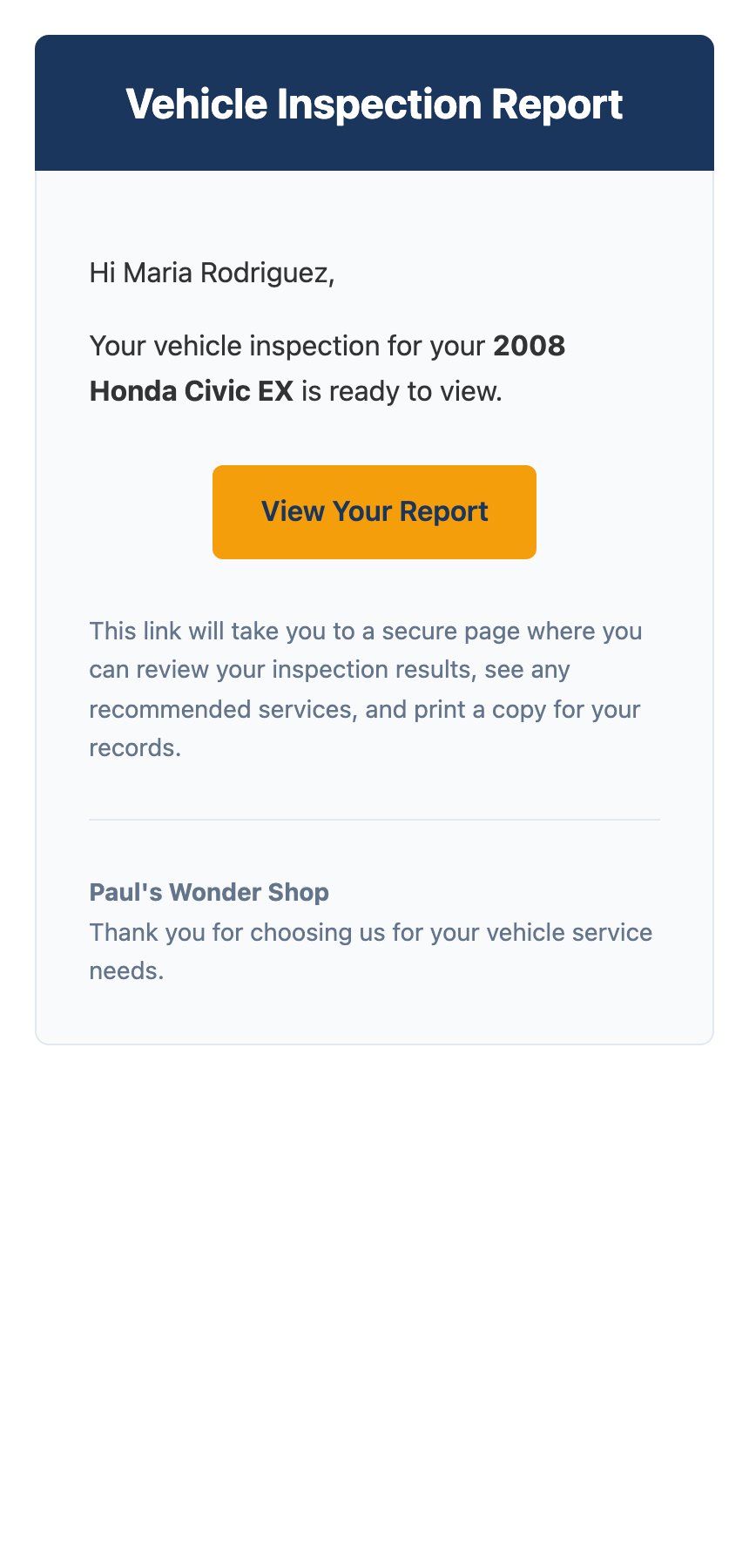
The inspection report email.
What your team gets
Two emails, sent to the addresses you list in settings:- Report sent — confirms that DVI sent a report notification. It does not confirm customer receipt.
- Customer approved services — lists exactly what they said yes and no to, with totals.
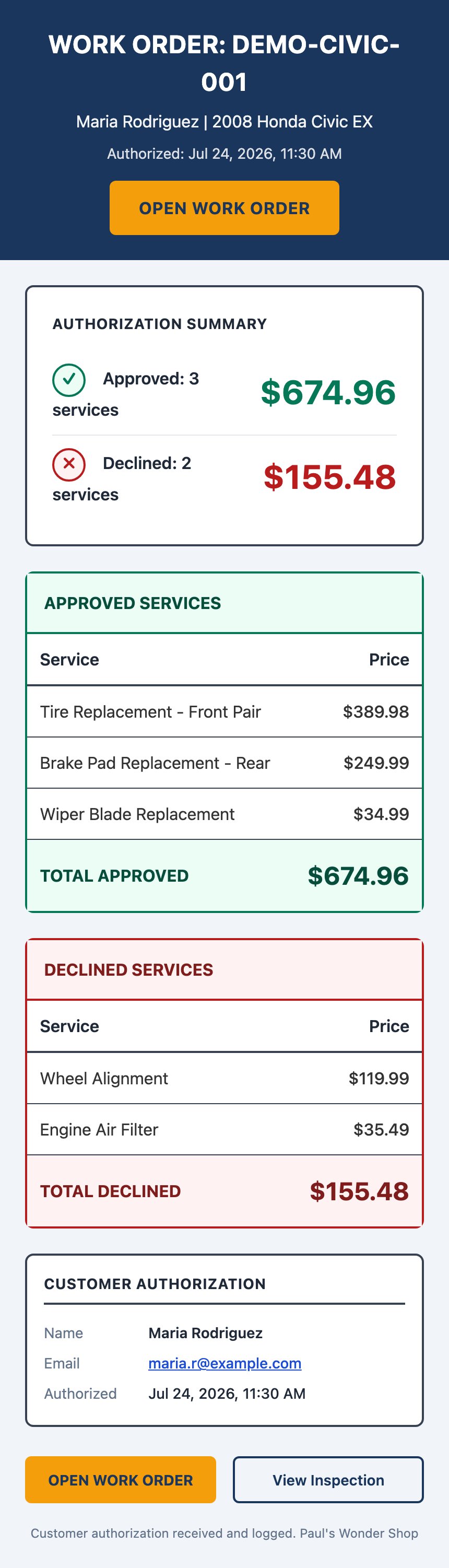
The approval email your team receives, with approved and declined totals.
Why the customer decides on their own screen
A phone call asks someone to make a spending decision from memory, while they’re busy. The report shows them the worn part, the measurement, and the price. Then it lets them think. That also gives you a record. The approval email captures what they chose, the amount, and the time. Nobody has to remember what was said on the phone.Who it’s not for
DVI is for inspections you do at your own shop, on a vehicle that’s already in your bay. It isn’t a quoting tool for customers who haven’t come in, and it isn’t a way to send marketing.Where to go next
Getting started
Notification setup, then your first report.
Performing an inspection
Tire placard capture, AI summary, services, and setting your prices.
How it works
What the AI reads, and why its prices are national averages.
Reference
Look up every notification, who gets it, and when.