

What the caller hears
Noah’s greeting covers three things, in this order: a recording notice for quality and training, a short note that he can help in Spanish, and who he is — Noah, your shop’s AI assistant. He uses your shop’s name, not TireTutor’s. If the caller answers in Spanish, Noah carries on in Spanish for the rest of the call. Noah then asks for the caller’s name. He asks twice at most. When a caller still declines, he writes Refused to Give Name on the lead, so it reaches you either way.What a caller can do
Get a tire quote by text
Noah finds tires and texts a quote link the caller can open on their phone.
Ask for service
Noah takes the details of the job and leaves you a lead to turn into an appointment.
Check if a vehicle is ready
Noah looks up the work order and tells the caller where it stands.
Reach a person
Noah transfers the call to your shop and writes down what he learned first.
Tire quotes
The caller either reads out a tire size, or gives the year, make and model of the vehicle. Noah works either way. A caller who cannot find their size gets talked through how to find the tire size on the tire sidewall and the door placard. From there Noah offers a good, better and best choice out of the tires your shop offers, at your prices. He quotes on what fits the vehicle and answers the caller’s questions about the options, including what else you carry. If the caller wants a quote for any of the tires, Noah texts them a digital quote link that lets them purchase and book an installation appointment.Service requests
Noah collects the name, a callback number, the vehicle, the job, and a preferred date and time. He asks whether the customer plans to drop the vehicle off or wait for it, then reads the date back before he finishes. Once the request is in, the caller gets a text message confirming your shop has it. It tells them to expect a follow-up from you. Noah does not book the appointment. The request lands in TireTutor for someone at the shop to confirm, so your team still decides what gets booked and when.Vehicle-ready checks
Noah asks for the phone number on the job, then looks up the work order:- One job — he says where it stands. A finished job reads as ready for pickup, and a job still open reads as not ready yet.
- More than one — he narrows it down by vehicle or license plate.
- Nothing — he tries the license plate, then transfers the call.
Which version your shop has
Tire quoting comes with the phone number. Service requests, vehicle-ready
checks, the website widget’s Call button, and the homepage metrics widget —
the last two described below — come with the premium package. If you do not
see them, contact support.
Each shop counts separately. A shop with the premium features and a shop
without them can sit under the same account.
Where customers find the number
The number sits at the top of your TireTutor marketplace pages and on every tire’s detail page, as Call your AI Tire Specialist.The pictures below show a demo shop. Your own pages and widget show your
shop’s Phone Agent number.
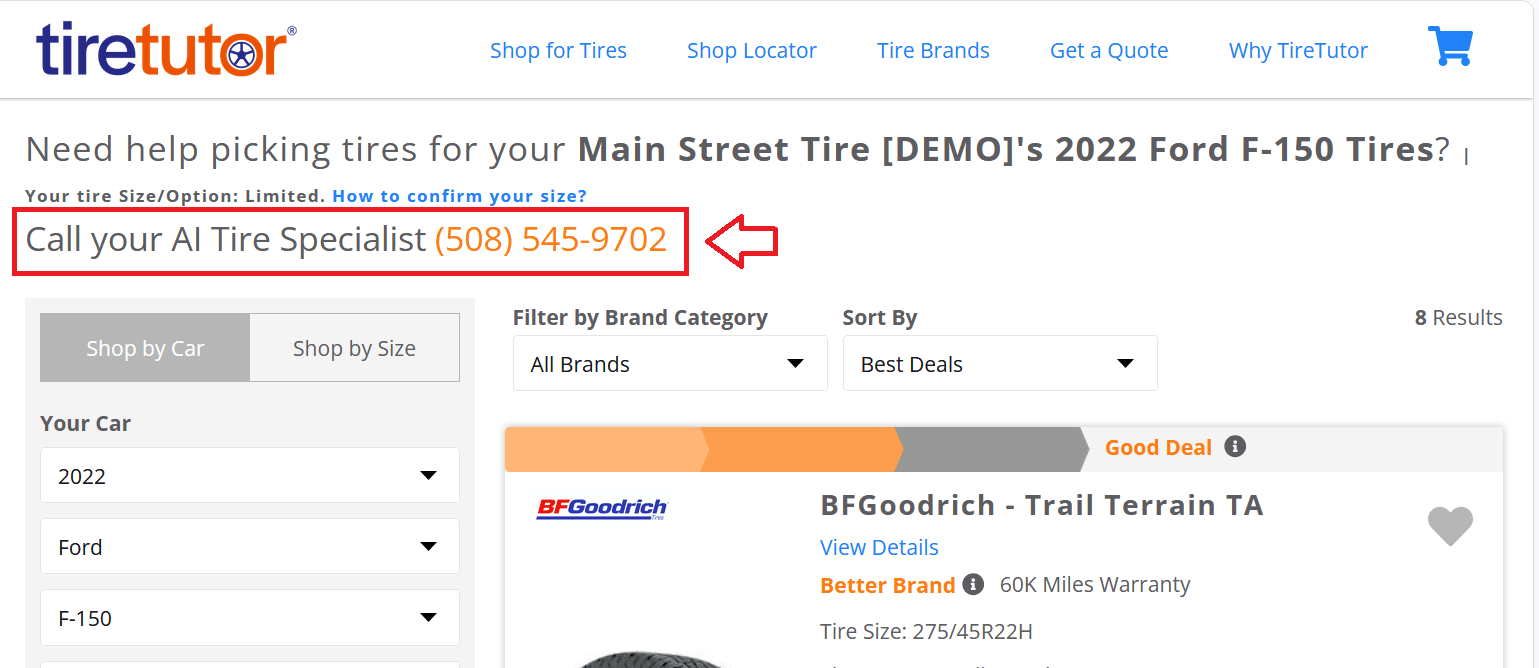
The call-the-agent line above the results on a marketplace search page.
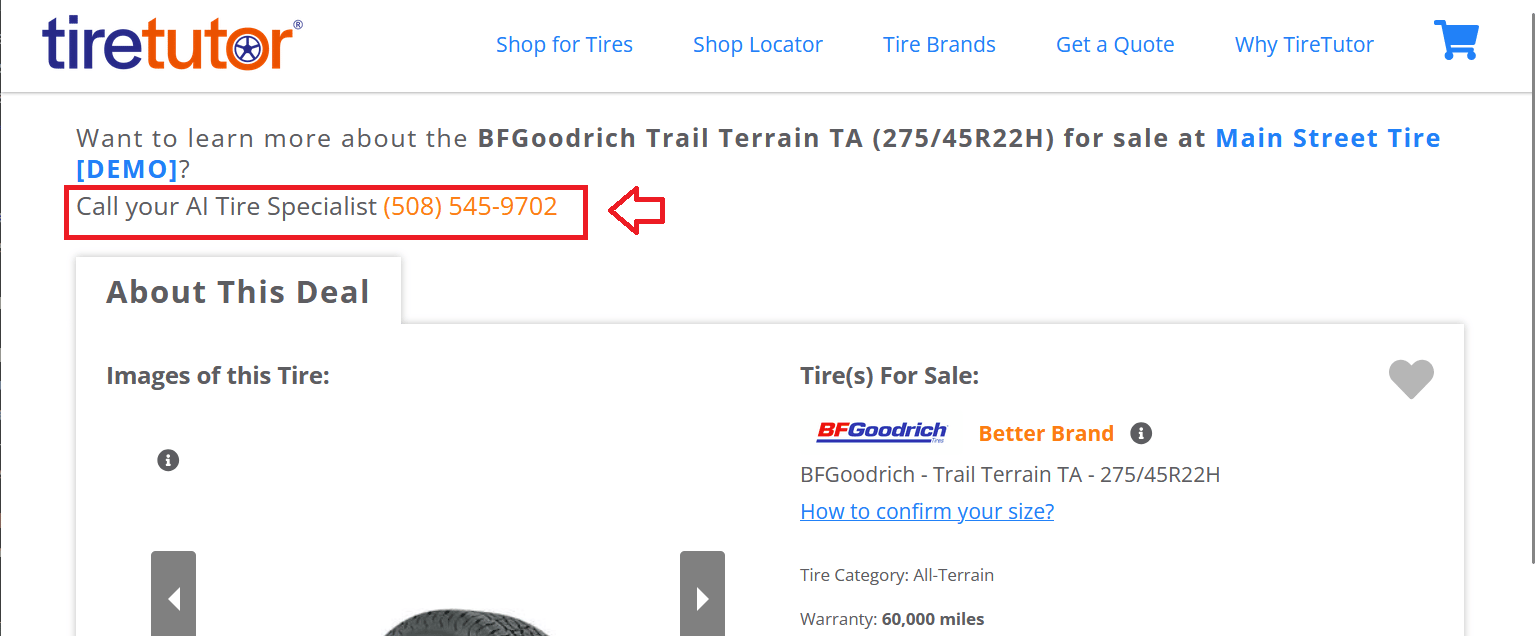
The same line on a tire's detail page.
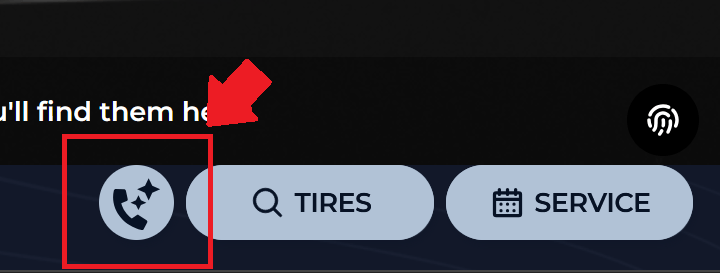
The Call button in the website widget, beside Tires and Service.
When a call needs a person
Noah hands the call to your shop when the caller asks for a person, sounds unhappy, turns down the quote text, wants tires he cannot find, or hits something he cannot answer. Before he transfers, he saves what he learned as a lead. So a caller who hangs up during the hand-off still leaves you their name, their vehicle and what they wanted. The one exception is a caller who asks for more help after Noah has submitted their service request. He transfers that call straight away, and the service request is the only lead it leaves. The hand-off rings your shop’s phone number. You can point it at a different phone — a cell, a front counter, whoever answers for several shops — see Changing transfer number. When the lead lands, TireTutor tells you — a notification in the corner of the screen, a chime, a flashing tab title, and an optional browser alert. See Transfer call notifications for where each shows and how to keep from missing them.What lands in TireTutor
Leads
A call saves a lead under Leads, in the CRM section of TireTutor’s menu, when:- Noah transfers it — except a transfer after a service request he has already submitted, which leaves the service request as its only lead
- the caller finishes a service request
- a tire caller ends the call to go and find their vehicle details or tire size
- the caller gets past the greeting, then hangs up before Noah finishes
Quotes
A quote Noah texts sits with your other quotes under Tire Quotes, marked with the AI phone icon. Hover the icon to see its source, “TireTutor AI Phone - Quote”.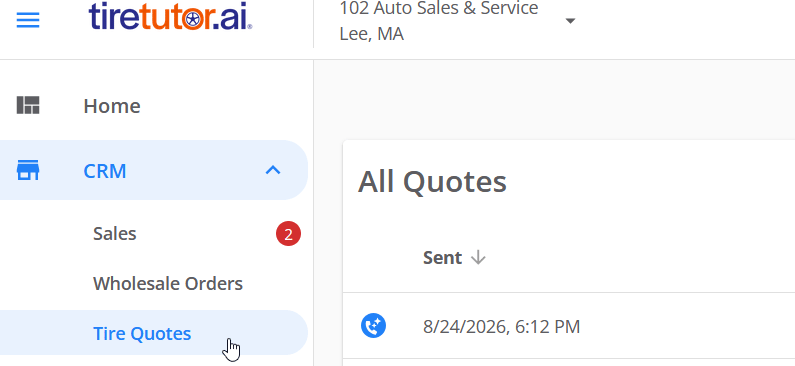
A quote Noah sent, marked with the AI phone icon in your quote list.
Calls
Every call the agent answers shows in Phone Leads — from the left-hand menu, or the Phone Calls card under Your shop at a glance on your homepage. Marketing → ROI Analytics carries the same calls on its Phone Call Data tab: calls received, average call length, and a row per call.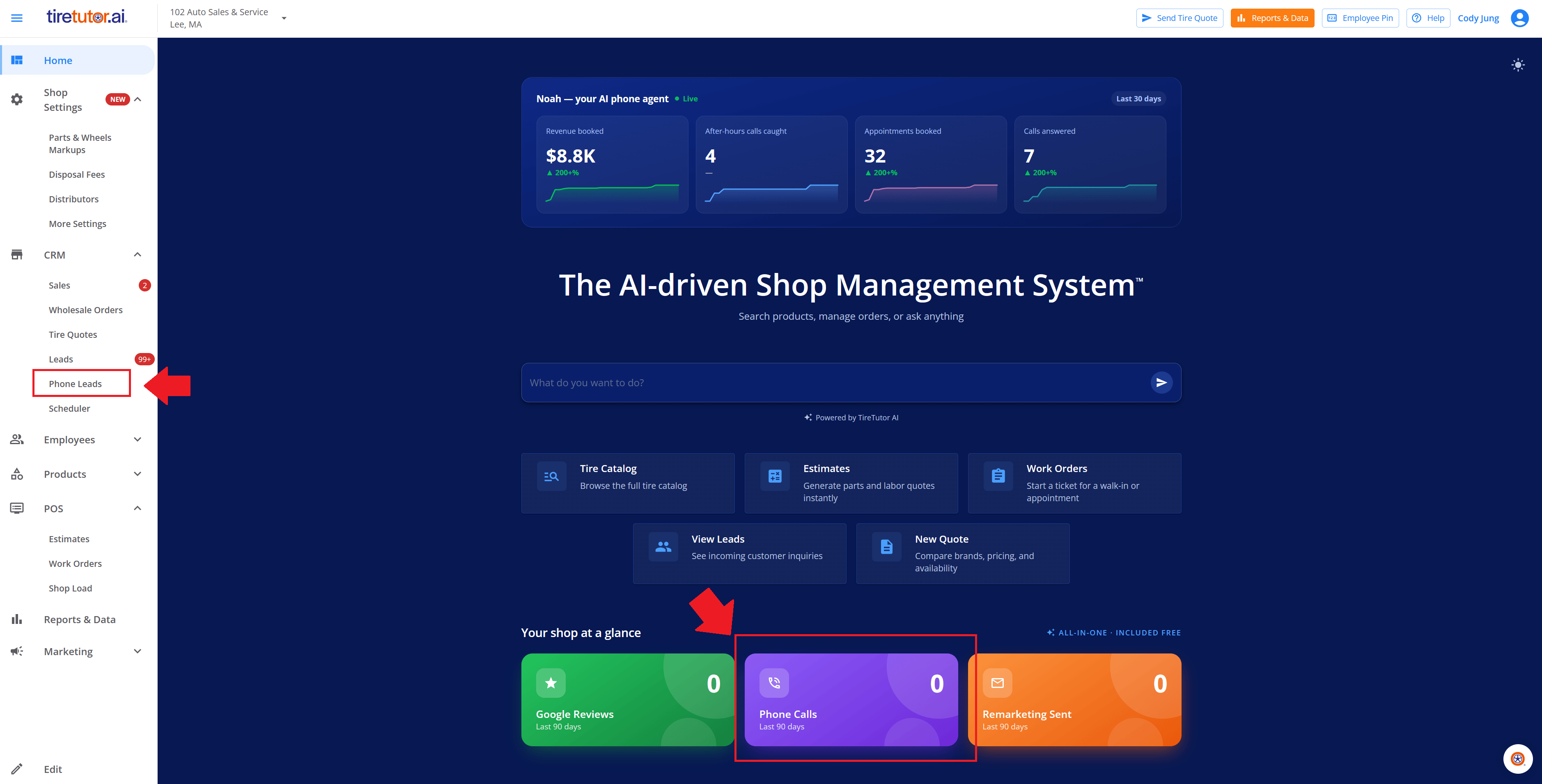
Phone Leads in the left-hand menu, and the Phone Calls card on the homepage. Both open the same page.
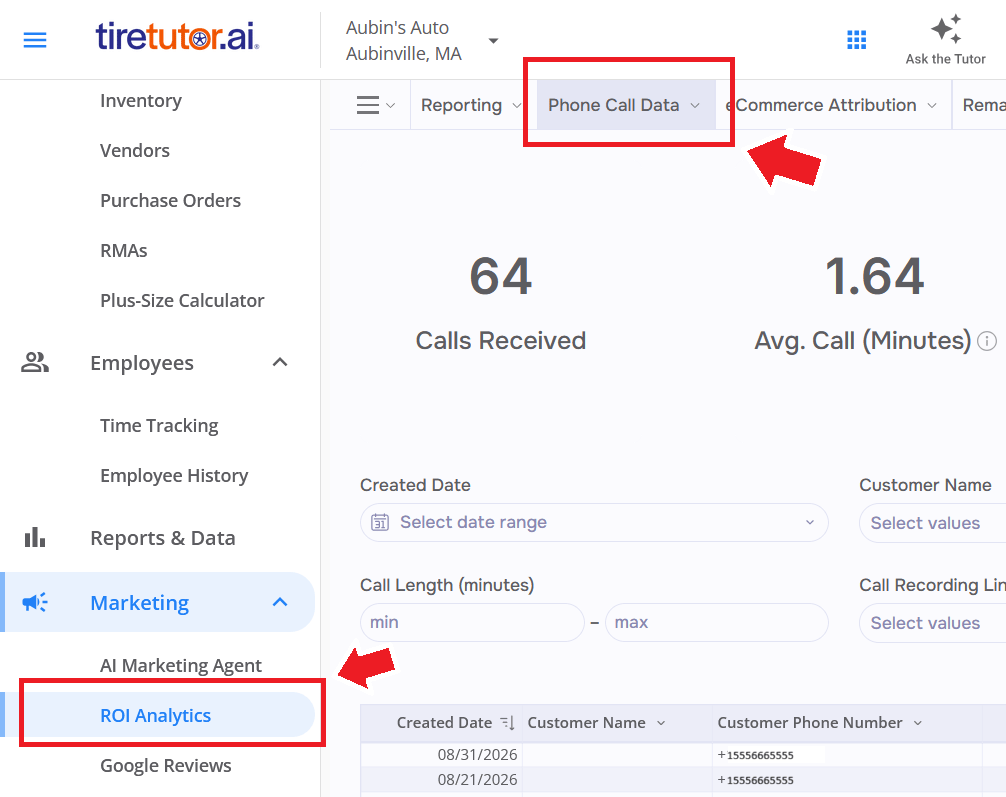
Marketing → ROI Analytics, on the Phone Call Data tab.
How Noah is doing
Shops with the premium features also get a Noah — your AI phone agent widget on your TireTutor homepage. Its four cards cover the period on the chip beside the title:- Calls answered — how many calls Noah took
- After-hours calls caught — how many of those came in outside your hours
- Appointments booked — how many leads Noah created, transfers included
- Revenue booked — an estimate TireTutor works out from that lead count
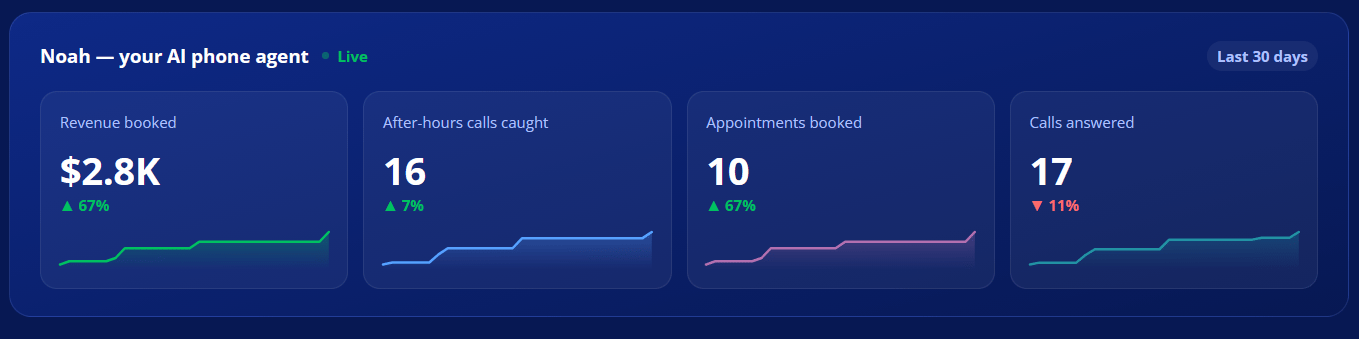
The Noah — your AI phone agent widget on the homepage. The numbers here belong to a demo shop — yours shows your own.
What Noah does not do
- He does not book appointments. Every service request waits for someone at your shop to confirm it.
- He does not call customers. Noah answers the phone. He never dials out.
- He does not guess at tires he cannot find. Specialty and unusual fitments go to a person at your shop.
- He does not know about a job with no work order, or one older than about two weeks. A vehicle-ready check finds the job by the phone number on it, or by the license plate, so a walk-in nobody wrote up reads as nothing found.