

Order sources show on Online Orders. TireTutor turns on online orders for any store that asks. If CRM has no Online Orders, ask for them on the upgrade page.
See the source in your orders list
The first column of your Online Orders list holds one icon per order. On a computer, point at the icon to read the source name. On any device, open the order and read its Source: row.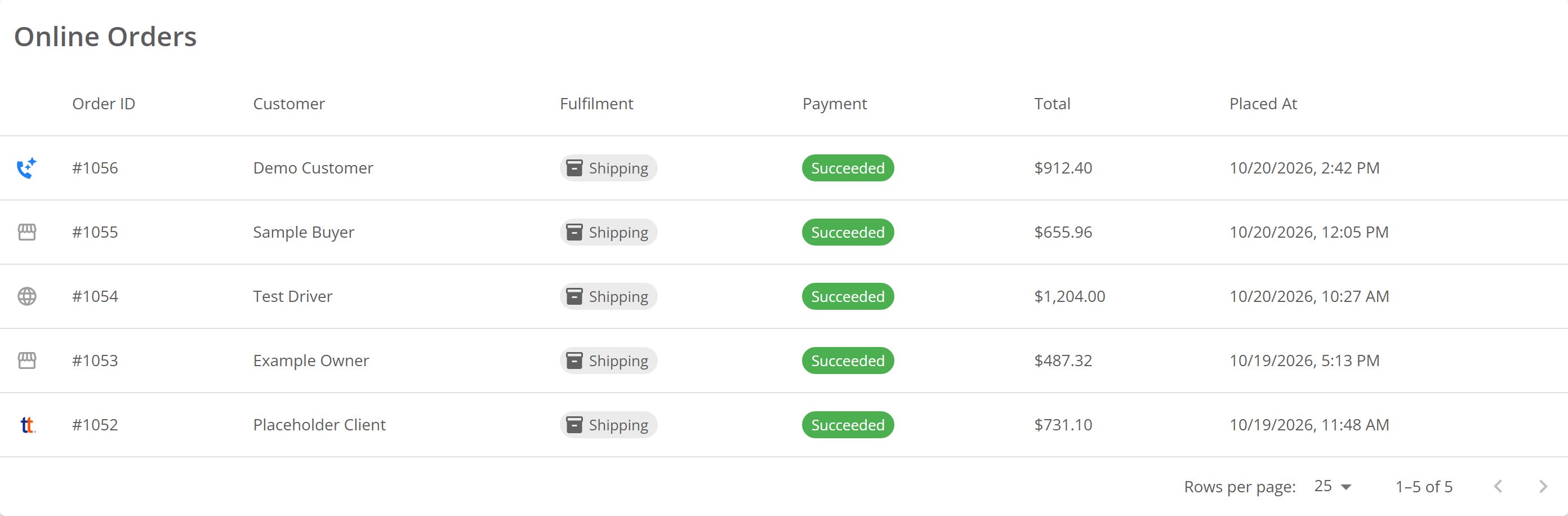
The Online Orders list, with each order's source icon in the first column.
See the source on an order
Open an order. The Source: row sits under Placed at:, with the icon and the source in words. The list and the order name the same source in two ways:
Other quotes show the storefront icon and their own name, for example Dealer Contact.
When your store sent the quote, View quote sits at the end of the Source: row. Select it to open the quote. When your store never sent it, there is no View quote. The row names the source either way.
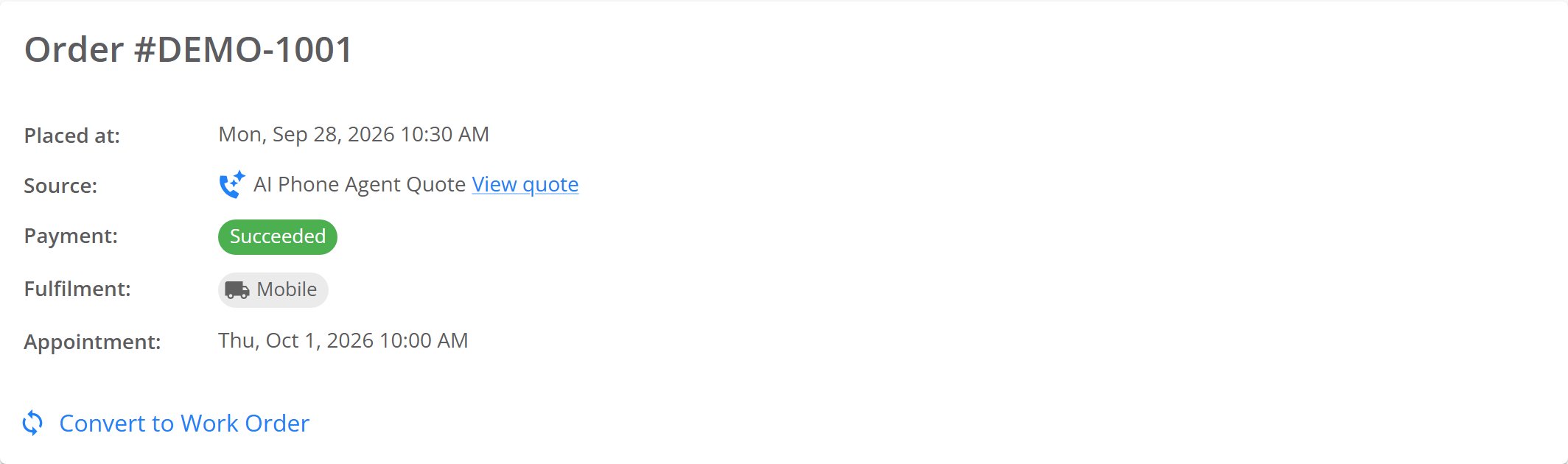
An order from a quote your AI phone agent texted, with View quote at the end of the Source row.
Find out why an order shows no quote
The quote travels with the cart in the customer’s browser. Without it, the order shows only where the customer bought. For example, the customer:- Added the tires from a search or a tire page, not from the quote
- Emptied their cart, then added the tires again from a search
- Opened the quote on one phone or computer, and bought on another
- Cleared their browser data before buying
- Opened the quote more than 7 days after you replied to it. The quote hides your reply after 7 days.
Where to go next
Finding your online orders
Where your online orders appear in CRM, and which section to check.
Ordering tires for an order
Order the tires before the customer’s appointment.