

A custom transfer number comes with the AI Phone Agent addon, one shop at a
time. On a shop without the addon, the setting shows a Book a Demo link
instead of a number field, and transfers ring that shop’s phone number.
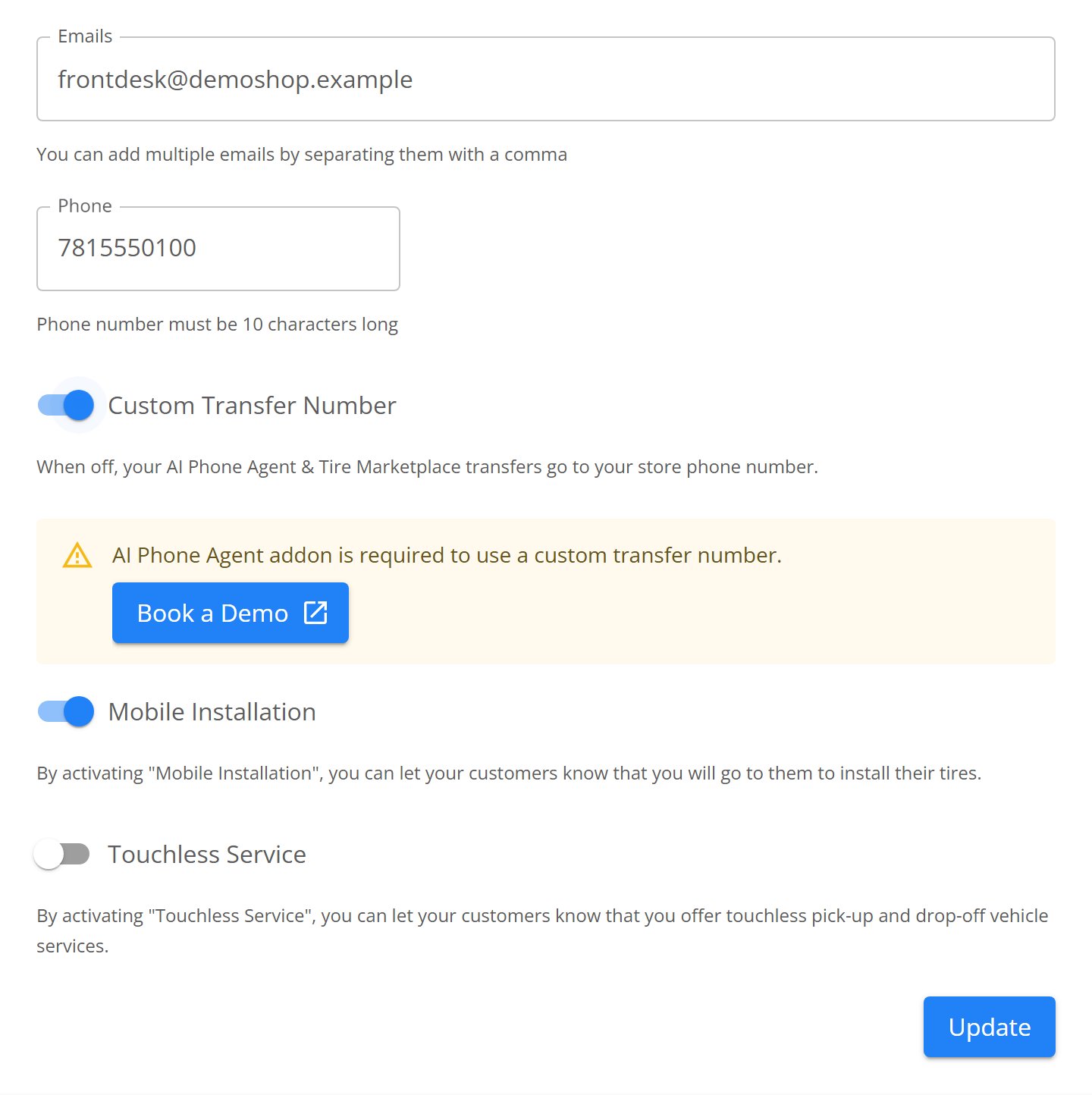
The transfer setting on a shop without the addon, showing Book a Demo in place of the number field.
What the transfer number covers
Your shop has one TireTutor number. It sits on your marketplace pages and in your website widget, and it is the number Noah answers. Whatever you set here is where calls to that number ring once they reach a person — whether the caller found you on the marketplace or dialled the number from your own site. Nothing changes about your shop’s own phone line. Customers who dial it reach you the way they always have.Set a transfer number
- Open Settings → Organization → Stores.
- Find the shop you are changing.
- Turn on Custom Transfer Number.
- Type the 10-digit number in Transfer number.
- Select Update.
- Check the confirmation. Under the heading Confirm where calls transfer, TireTutor shows your TireTutor line and the number that rings.
- Select Confirm Update.
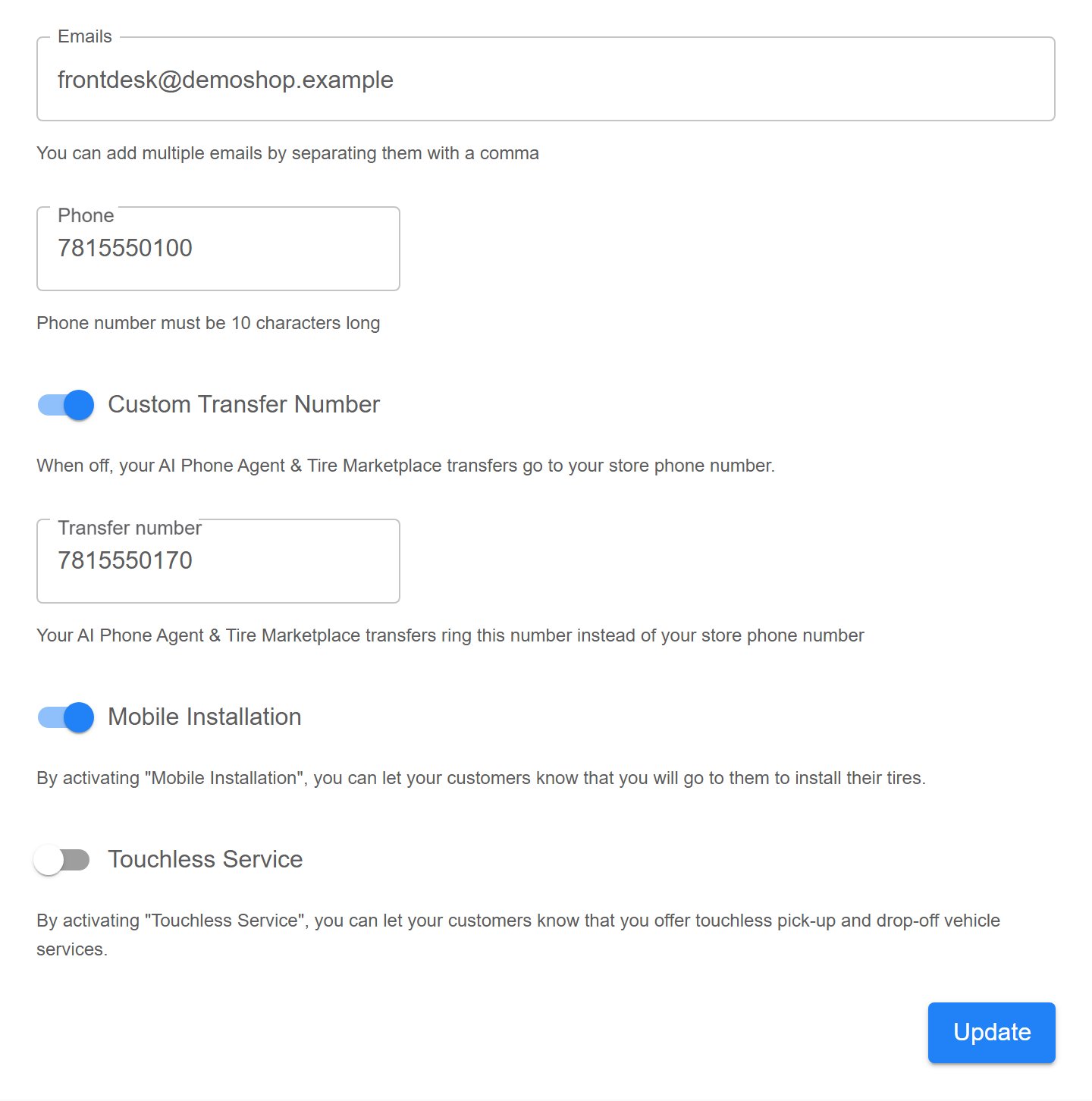
Custom Transfer Number turned on, with the Transfer number field beneath it.
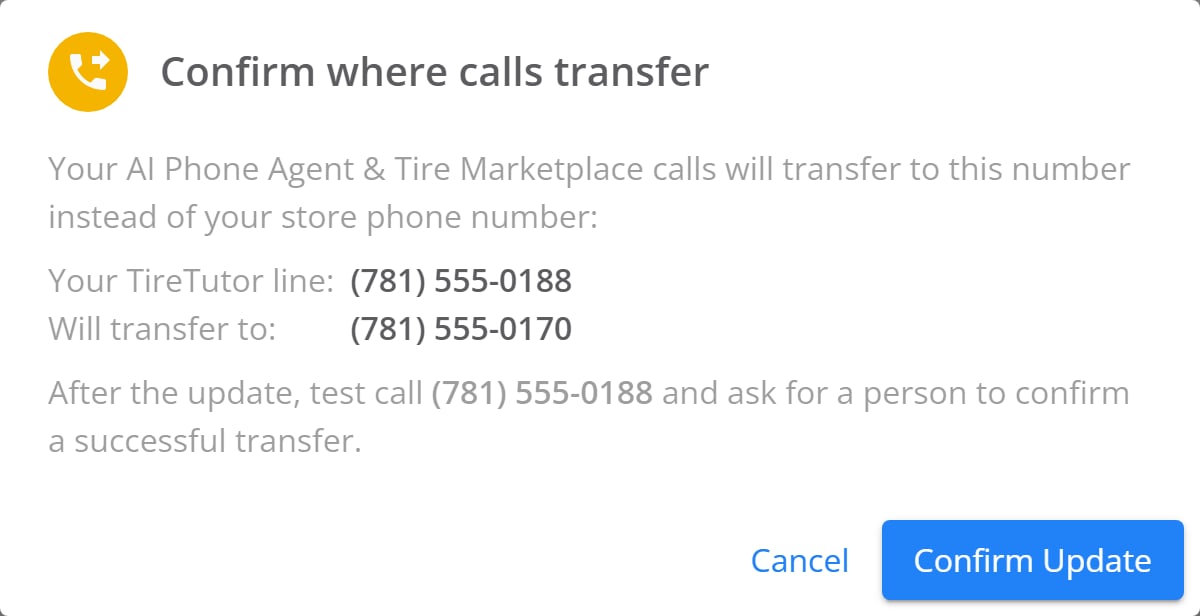
The confirmation, naming your TireTutor line and the number that rings.
Send transfers back to your shop phone
- Turn Custom Transfer Number off.
- Select Update.
- Confirm the dialog, which reads Confirm where calls transfer.
What you can use as a transfer number
-
Any ten-digit phone number, one per shop. For example:
- Your shop’s number
- A cellphone
- An IVR routing number
- Voicemail
- An answering service
-
Not your TireTutor line. That would hand the caller back to Noah, so the
save stops with This is your TireTutor line — transfers can’t go back to
it.
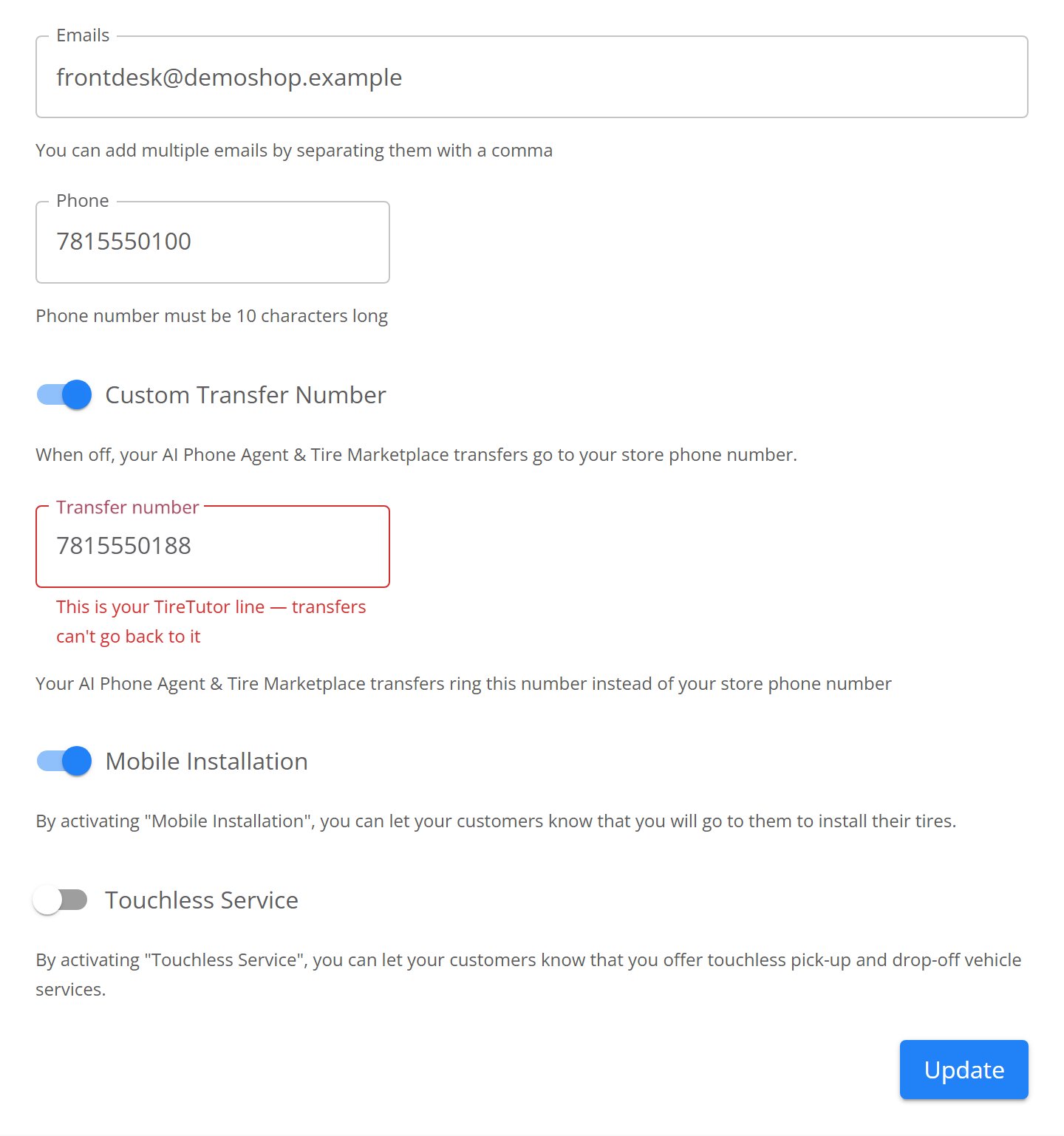
The Transfer number field refusing the shop's own TireTutor line.
If you change your shop’s phone number
While no transfer number is set, hand-offs follow your shop’s phone number. Editing that number moves them, so TireTutor warns you — You could miss customer calls — and names the number transfers ring after you save. Place a test call afterwards. With a transfer number set, your shop phone number is just a detail on your record. Editing it does not change where the transfers go.Related
- Transfer call notifications — what you see on screen the moment a call comes over, and the lead Noah leaves behind.
- Phone Agent overview — what Noah handles on his own and when he reaches for a person.
- Dealer and Store settings — the rest of what you can edit on your shop, including the phone number transfers fall back to.