

The Tire markups step shows after Connect your distributors, for a
dealership Owner or Administrator. If you don’t see it, set your tire markups in
Shop Settings → Tire Markups instead.
Pick a preset
1
Open the tire markups step
On Connect your distributors, select Continue. The card opens
Set your tire markups.
2
Pick a preset
Select Value, Standard or Premium. See
Compare the three presets.
3
Apply the preset
Select Continue. TireTutor applies the preset you picked. If you
already have different tire markups, Replace your tire markups? opens
first. See
Replace or keep the tire markups you already have.
Compare the three presets
Each card on the step shows these amounts.
Standard has a Recommended label. A new account starts with the
Standard preset.
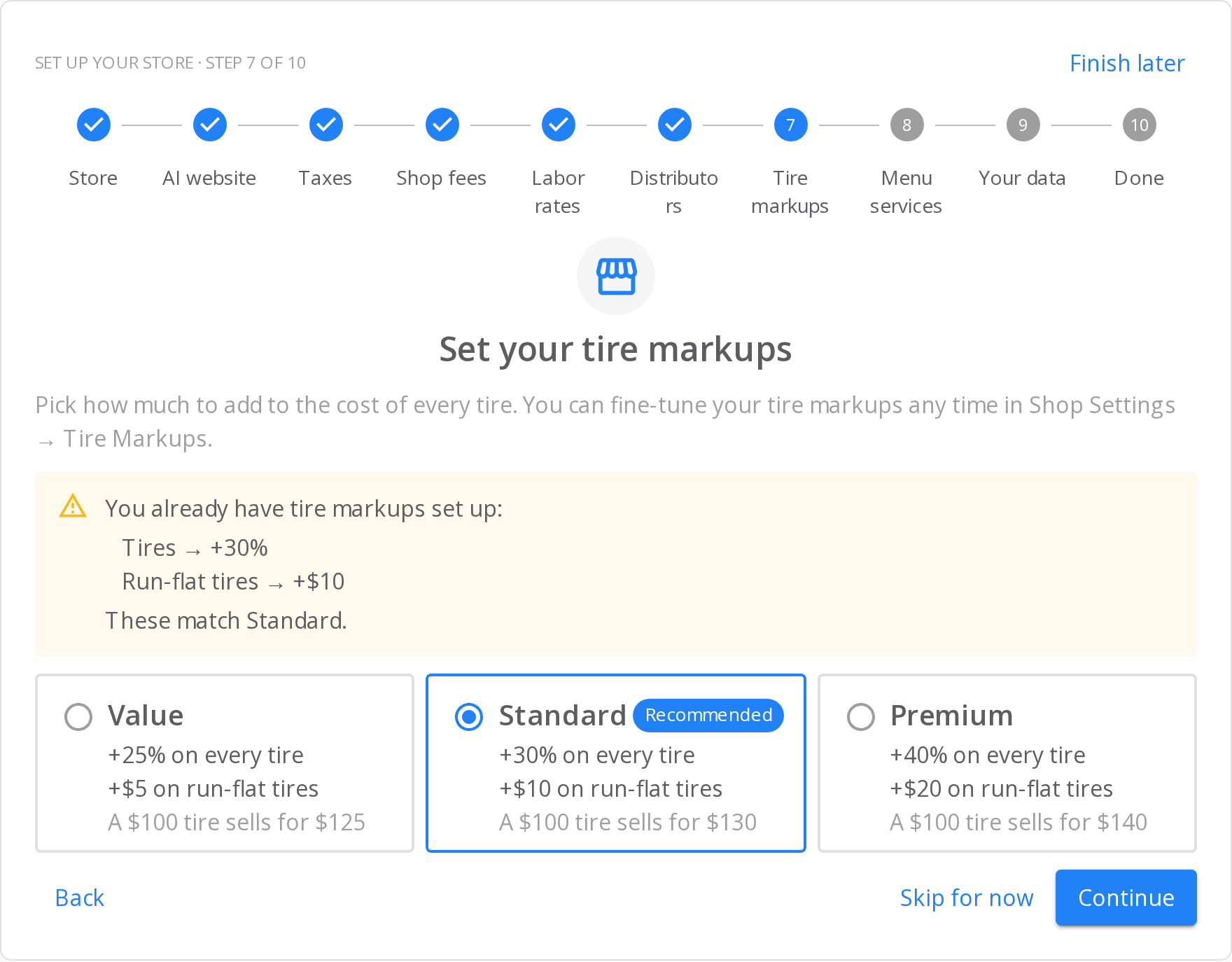
A new account starts with Standard, so the step lists those markups and selects the Standard card.
Check your tire markups
When you already have tire markups, the step lists them above the cards, under You already have tire markups set up:. Each line names the tires and the markup, for example Tires → +30% and Run-flat tires → +$10. When your markups are the same as a preset, the list ends with These match and the preset name, for example These match Standard. The step then selects that preset for you.Replace or keep the tire markups you already have
If your tire markups are different from the preset you picked, even by a little, Continue asks first. The Replace your tire markups? dialog lists your markups and the preset that replaces them.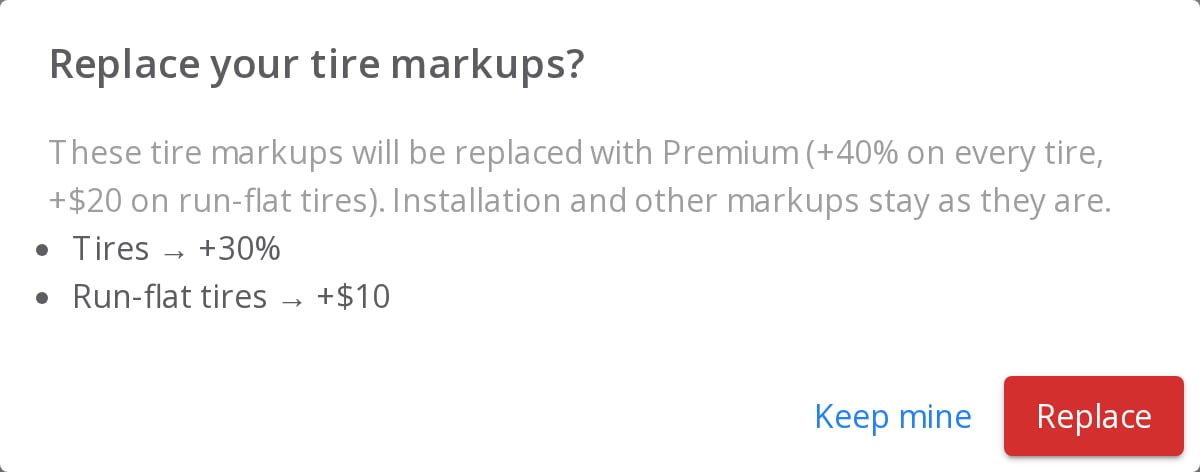
The dialog names the preset you picked and lists the markups it replaces.
- Select Replace to use the preset. The card opens the next step.
- Select Keep mine to keep your markups. The card opens the next step, and your markups stay as they are.
Skip this step
Select Skip for now. In the Skip this step? dialog, select Skip for now again. Skipping never changes your tire markups. The summary at the end shows Tire markups: skipped, with a Set up tire markups in Settings link.Change your tire markups later
In the left menu, select Shop Settings → Tire Markups. Or open Tire Markups directly. Open the 4. Custom Markups tab. A preset shows there as one Tire Price Markup rule and one Run-Flat Surcharge rule. Change them like any other rule.How you know it worked
- The row of steps at the top shows a check mark on Tire markups.
- The last step lists Tire markups: set up.
If it doesn’t work
- The step says it couldn’t load the presets. Select Skip for now. Set your tire markups later in Shop Settings → Tire Markups.
- The step says it couldn’t apply the preset. Select Continue again. If it fails again, skip the step. Then set your markups in Shop Settings → Tire Markups.
- A tire sells for a different price than the card shows. The card shows a tire with no other markups. Brand markups, distributor markups and a manufacturer’s minimum advertised price (MAP) also change a tire’s price.
Still need help?
Contact support through the contact form, or call 855-400-4521.Where to go next
Set up your store after you sign up
Go through every setup step after you create your first store.
Getting started
Set up your distributors, brands and custom markups step by step.