

Open the assistant
On a computer, select Ask AI at the right end of the scheduler’s top row. A panel opens beside the calendar. On a phone, select the sparkle icon in the second row. The panel opens as a sheet over the calendar.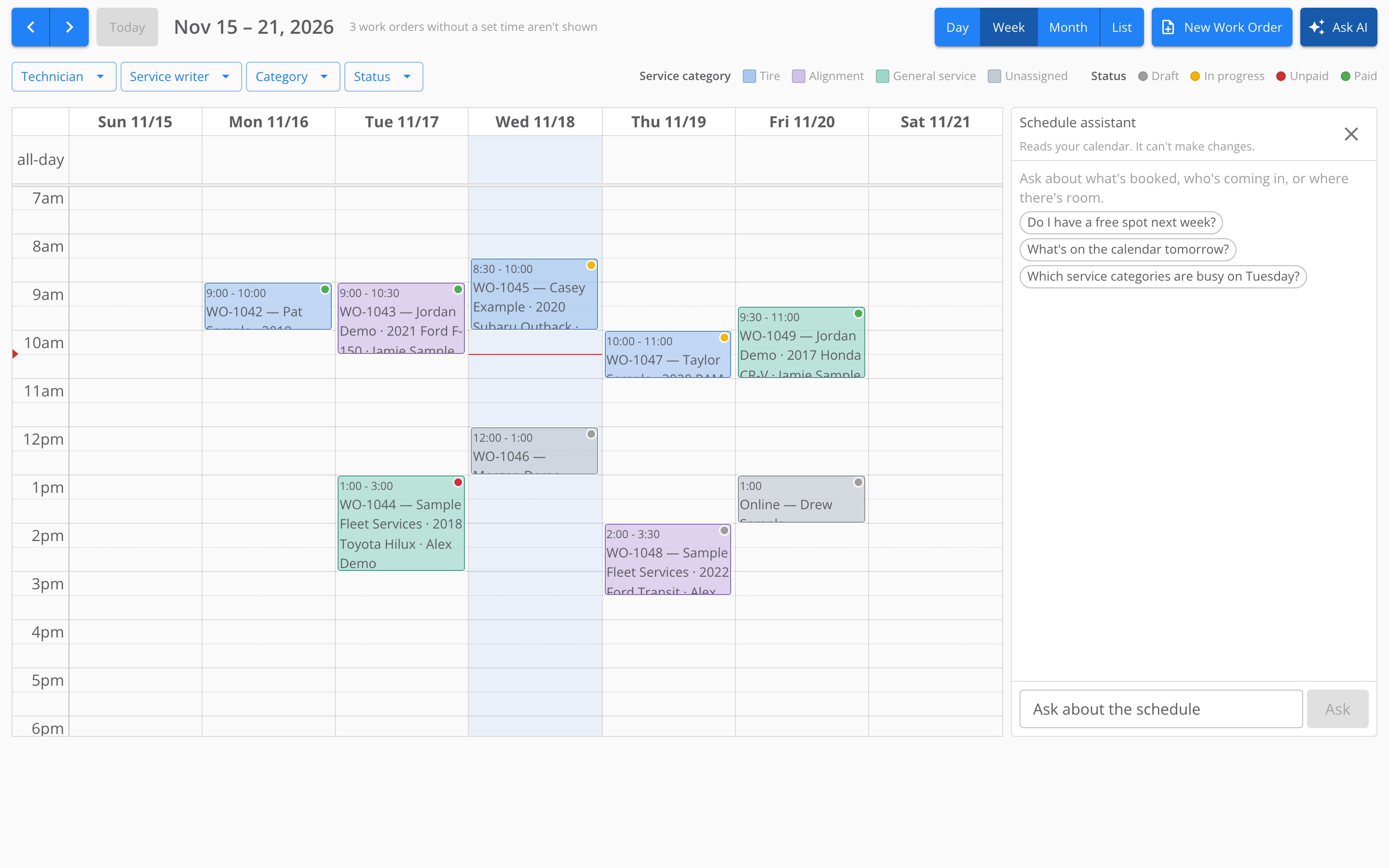
The schedule assistant beside the week view, before the first question.
Ask a question
1
Type your question
Type it in Ask about the schedule. A question can be up to 500 characters.
2
Send it
Select Ask, or press Enter. Shift and Enter together start a new line instead.
3
Read the answer
The panel shows Reading the calendar… while it works, then its answer under your question.
What you can ask
The assistant looks at your whole store, not only the dates and filters on your screen. It can:- Check a day or a week, near or weeks away. “What’s on the calendar tomorrow?” “How busy is the week of December 7?”
- Follow one person. “What is Alex working on Tuesday?” “Which of Sam’s customers are coming in this week?”
- Look at one kind of job or status. “Which alignments do we have on Friday?” “Which jobs this week are still unpaid?”
- Find work that has no time yet. “Which work orders still need an appointment?”
- Find a customer or an order. “Where did we schedule Pat Sample’s next appointment?” “When is WO-1042 booked?”
- Look for room. “Do I have a free spot Thursday morning?”
Read the answers
- Times are your store’s time. The assistant uses your store’s time zone, like the calendar.
- An empty slot on the calendar can still be full. Your store takes only so many bookings at the same time. Before the assistant calls a time open, it checks that limit for the day. Still check the calendar before you promise a time to a customer.
- It says when it cannot be sure. If the assistant cannot read part of the schedule, its answer says so. If the answer is not in your schedule, it replies I can’t see that in the current calendar data.
Close the assistant
Select the X in the panel’s header, or select Ask AI again. On a computer, closing the panel clears the conversation. The next time you open the scheduler, the panel is open or closed the way you left it. On a phone, the panel always starts closed. The conversation stays until you leave the page.If it doesn’t work
The assistant replies with a message instead of an answer when it cannot help:
If the panel shows This store has no timezone set — times are shown in US Eastern., the answers can be an hour or more off. Contact support to set your store’s time zone.
Where to go next
Overview
Read the calendar, move appointments, and use it on a phone.
Filtering the schedule
Narrow the calendar to a technician, service writer, category or status.